
On October 27, Theo (@theo) posted something on X that stuck with me:
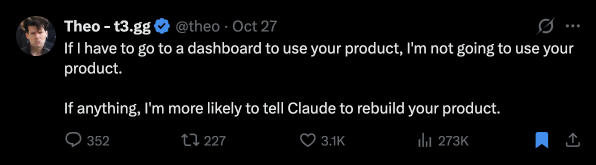
It stung, because we had built rinkata a UI, the Hub, and agents still had to send you there. They could already do almost everything else over MCP: read and write Goals, specs and tickets, attach completion evidence, and propose plans. What they couldn’t do was decide for you. Accepting a Decision that’s waiting on a person, approving a spec, and applying most plans that rewrite work are a person’s calls, on purpose, and each one meant a trip to the Hub.
I was using Claude on my iPhone when the agent needed a decision in rinkata. I switched to Safari, opened the Hub, made the call, switched back to Claude, and told the agent I was done so it could continue. Every step worked, but the agent and I were in one conversation and the decision happened somewhere else. Why not keep it all in the same session?
Between Theo’s post and my own trip through Safari, I decided rinkata should work fully headless. I captured that as an idea the next morning, and a week later you could do most of your rinkata work from Claude without opening it.
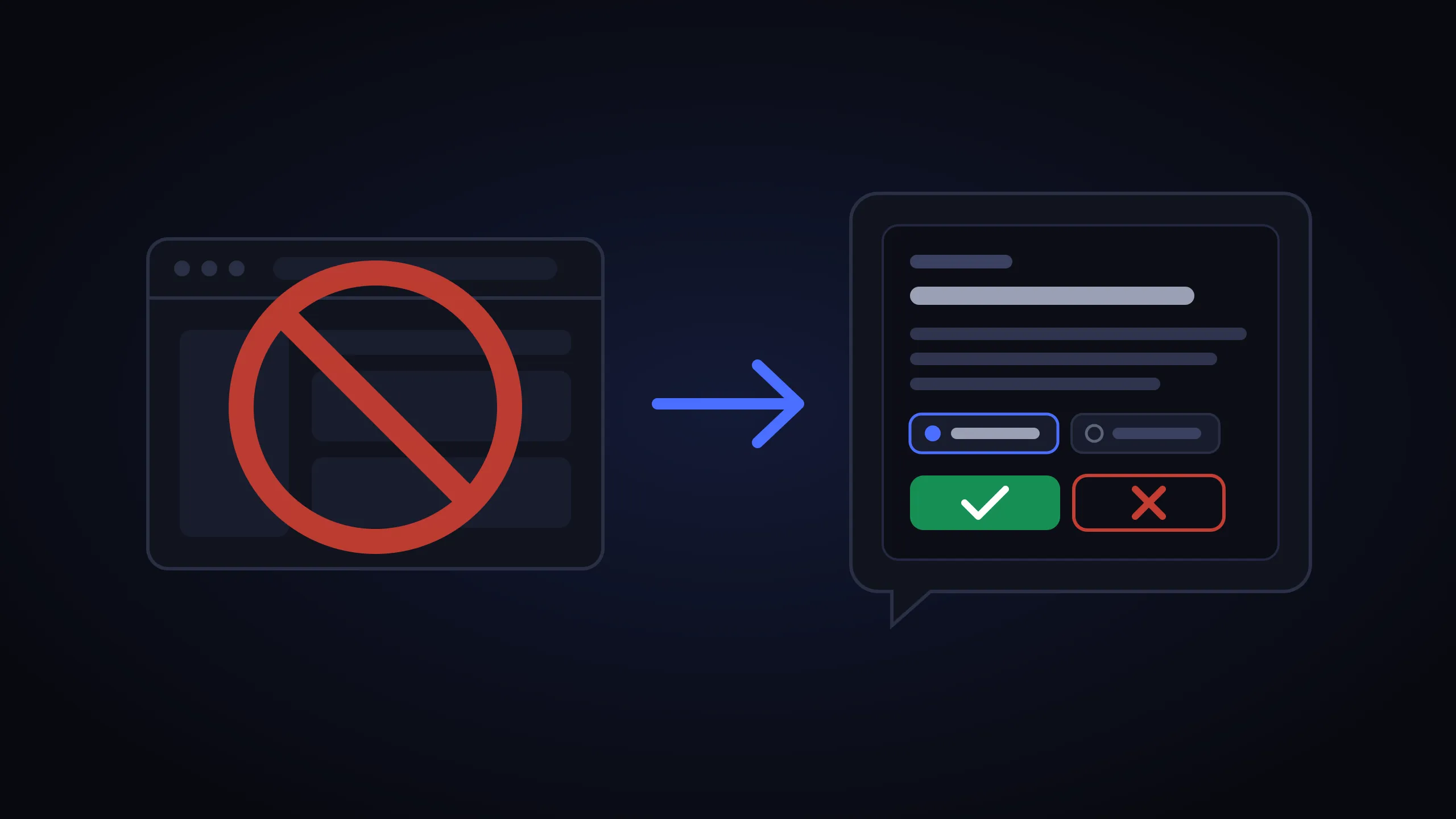
Decisions waiting on you still go to you
By headless I mean no rinkata UI. It’s easy to hear “the agent decides on its own” instead, but every call that needs a person still goes to one.
A rinkata project records what a team committed to and who agreed to it. An agent can log its own Decisions, and those take effect right away, labeled as the agent’s. What it can’t do is answer for you when a Decision is waiting on a person. If it could, the record would say a person approved something no person looked at. So we kept one rule: the person still decides, in the app they’re already using.
Headless 2.1: a form in Claude Code
MCP has a feature called elicitation. A server can pause a tool call and ask the person a question through the client’s own interface. The answer goes straight from the person to the server, so the model can’t fill it in.
Headless 2.1 routes every decision that needs a person through it. When your agent calls rinkata_resolve_decision, rinkata asks you directly. You see the Decision, what it affects and why it was proposed, then choose Accept or Reject. The rules from the Hub carried over:
- Only a choice you submit writes anything. Closing the dialog changes nothing.
- Decline never counts as Reject.
- Each question is signed and bound to you, to the exact request and to the current version of what it changes, and it can be answered once.
Sign-up moved into the chat as well. You add rinkata as a connector, sign in with Google, approve the connection, and ask your agent to create your first project.
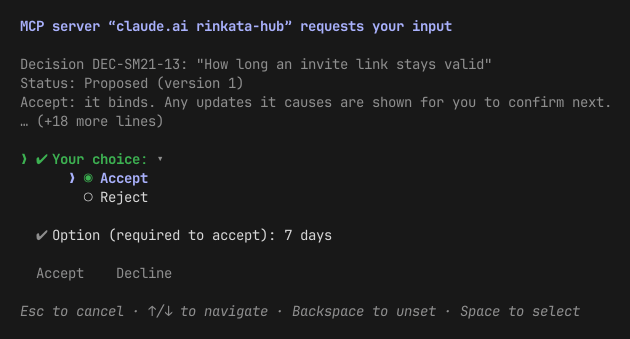
Then we tried it across Claude’s apps, and it worked in one place: Claude Code in a terminal. Claude Desktop’s Code tab said it couldn’t show forms. A Claude Code cloud session on iOS said it could, received the form, never showed it, and timed out.
Headless 2.2: a card in the conversation
MCP Apps let a server draw a small piece of interface inside the conversation, and Claude Desktop, claude.ai, and the iOS and Android apps all draw them.
In 2.2 the question becomes a card. Your agent asks rinkata to resolve a Decision, and a card appears in the chat with the same text the Hub drawer would show. You tap Accept or Reject. Your tap makes the change, and the agent learns the outcome on its next turn.
On my iPhone, that replaced the whole Safari trip. I tap the card, send my next message, and the agent already knows what I chose.
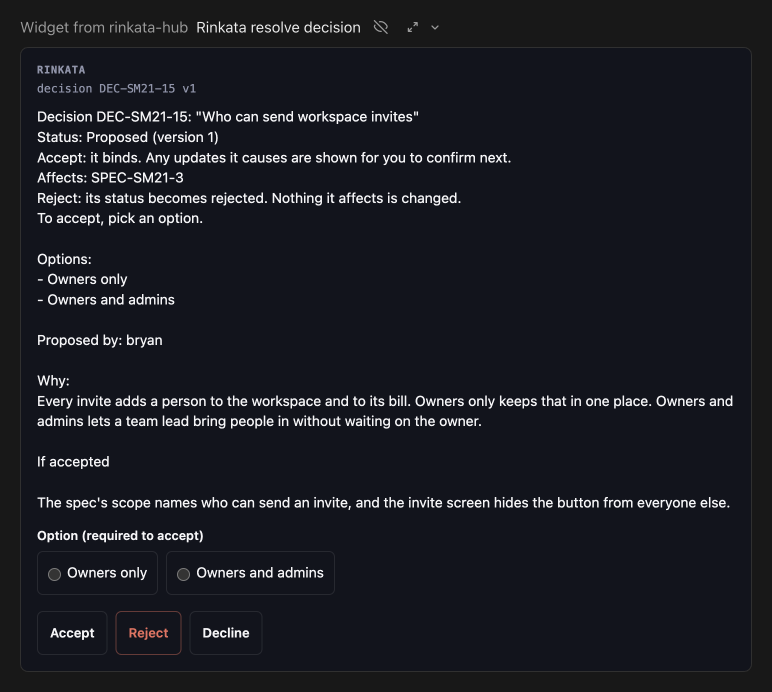
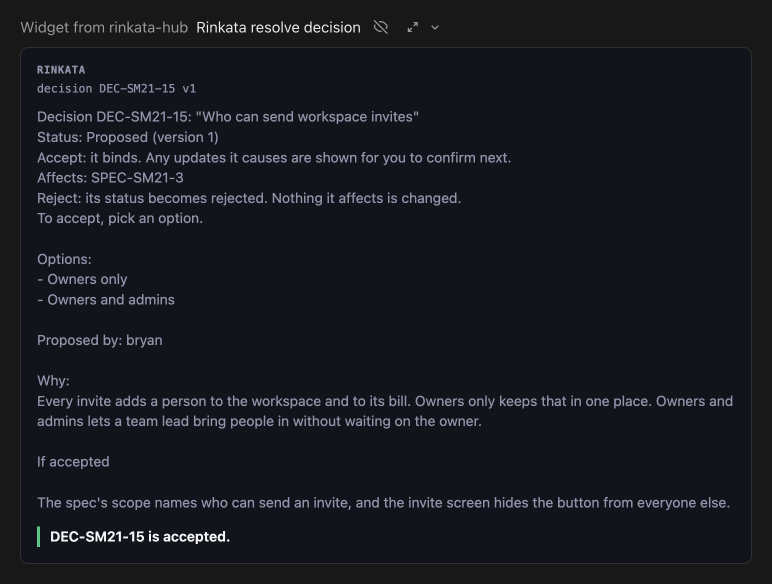
A card is code running inside Claude, so we had to be sure a tap came from you and not from the model. The buttons call a tool marked app-only, which Claude hides from the model and refuses if the model tries to call it anyway; we checked that on every client we tested. The signed request travels in a part of the tool result that only the card receives, so the model never sees it. When the tap arrives, rinkata checks the signature, the person, the request, and that nobody has answered it yet. That’s why rinkata counts a tap on the card as your choice.
Decisions with more than one step stay in the same card. If accepting a Decision means updating three specs, the card lists those updates and asks you to confirm them next. Cards also come back when you scroll up or reopen a chat, with working buttons. Because each question can be answered once, a second tap gets “already answered” instead of making a second change.
The record shows where you answered
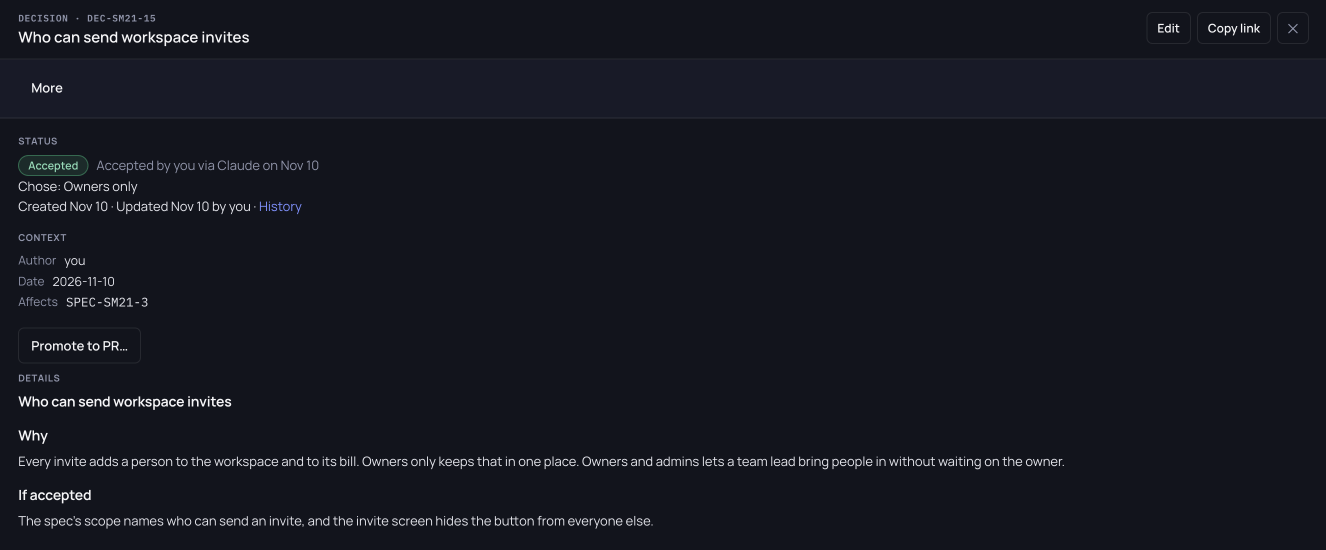
A choice made in the chat lands in the same record as a click in the Hub, plus the channel it came through. A tap on a Claude card reads “via Claude”, and an answer in the terminal form reads “via Claude Code”. A click in the Hub gets no label.
Approvals finish in the chat only for clients we’ve verified, which today means Claude’s apps and Claude Code. Any other MCP client gets a one-time link that finishes the same question in the Hub. The link expires after 10 minutes, and an answer given through it reads “via Hub”.
What surprised us
If you’re building MCP Apps yourself, these cost us the most time:
- claude.ai wants cache hints. A
resources/readresult withoutttlMsandcacheScopeloads in Claude Code but fails on claude.ai with “Couldn’t load this widget”. Claude Code fills the hints in itself, which hid the bug from us. - Claude Desktop merges servers that share a name. We had a local server called
rinkataand a connector with the same name, so calls went to the local one, which has no card, and nothing drew. The connector is now namedrinkata-hub. ui/messagedoesn’t make Claude continue; it only pre-fills the message box. Useui/update-model-contextto tell the model what happened. On Android even that doesn’t reach the model, so the agent looks the outcome up itself.- Taps from iOS arrive in an older form of the protocol and don’t say which client sent them. The server checks them the same way, but the record lists the client as unknown.
Where this is going
I don’t think product UIs are going away. We still have the Hub, and some things are easier to take in on a big screen, like a whole project at a glance or the evidence behind finished work. What changes is how much a UI should require of a person before the product is useful. If you’re building something agents will use, I’d suggest three things:
-
Keep the required part of your UI small. Count the steps a person has to take in your interface before the product does anything for them. For rinkata that’s now signing in with Google and approving the connection. After that, the everyday work, including the decisions only a person can make, happens in the chat.
-
Once someone is set up, let an agent perform every operation over MCP. If a person can do something in your UI, an agent should be able to do it with a tool. When a step needs a person, ask them in the client they’re already using, through elicitation or an MCP App card, so nobody has to leave the conversation for a web page.
-
Keep track of what a person did and what an agent did. Once agents do most of the work, the record is how you know what a person decided. In rinkata every change stores its actor: a person, an agent, or the system, and for an agent, the person it works for. When an agent logs a Decision and a person later accepts it, the record keeps both: the agent’s call, and the person’s acceptance with the client they used. Build this in from the start. We added it late, and changes made before we recorded actors still show a date with no name.
Try it
- In Claude Desktop, claude.ai or the Claude app, add a custom connector named
rinkata-hubwith the URLhttps://api.rinkata.dev/mcp. - Sign in and approve the connection.
- New to rinkata? Ask Claude to create your first project. You confirm it in a card, right in the chat.
- Once your project has Decisions, ask: “What decisions do I have open? Can we answer them here?”
The Claude setup guide covers Claude Code as well.