
I started my personal site with a fairly simple request: I wanted a Tron theme.
After twenty years in quality assurance, I was starting Quirence and building products with coding agents. The site would give me somewhere to share that work. We called it The Grid.
I used our first product, Rinkata, to organize the build. We’re building it to keep an agent’s work connected to the requirements and decisions behind it. My site gave me a chance to see what happened when I changed those requirements after work was already finished.
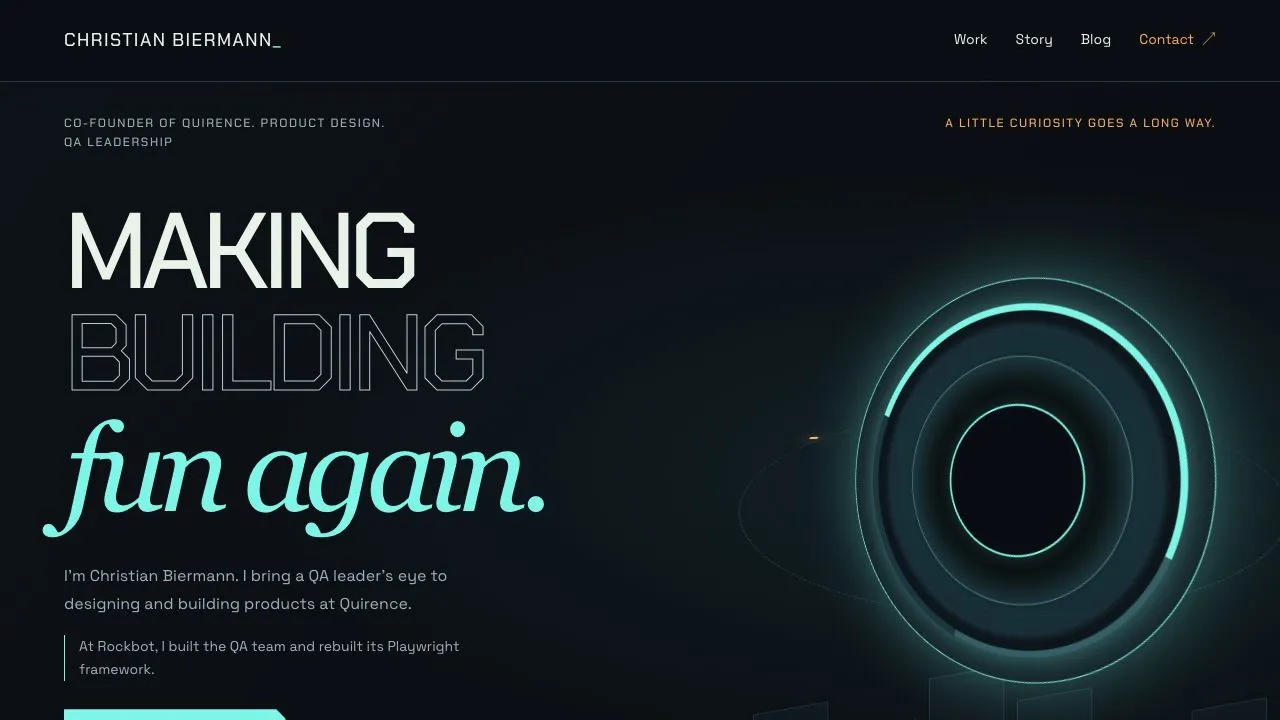
I needed to see it before I could decide
The original homepage brought everything together: an introduction, Work, Story, writing, and Contact. Once I could see it, I wanted more room for the career story and the work itself.
So I asked for dedicated Story and Work pages, with shorter introductions on the homepage.
The request affected the biography, project descriptions, navigation, and the paths a visitor would take through the site. Some of the homepage work had already been completed and reviewed.
I didn’t know I wanted those pages until I saw the first version. Now we needed to work out what that meant for the build.
What happened to the work we’d already finished?
When the agent tried to rewrite the original homepage specification, Rinkata refused the change. Some of its work already had accepted evidence. The original checks covered the original homepage. The new pages needed their own requirements and review.
We created a successor specification: a new record for the revised direction, linked to the earlier one. The original homepage kept its evidence. Story, Work, and the navigation between them became three separate pieces of work under the new specification.
The old homepage section links continued to work while the new pages were built. Navigation switched over when the destinations were ready. We could follow the new direction and still see what had been approved before it.
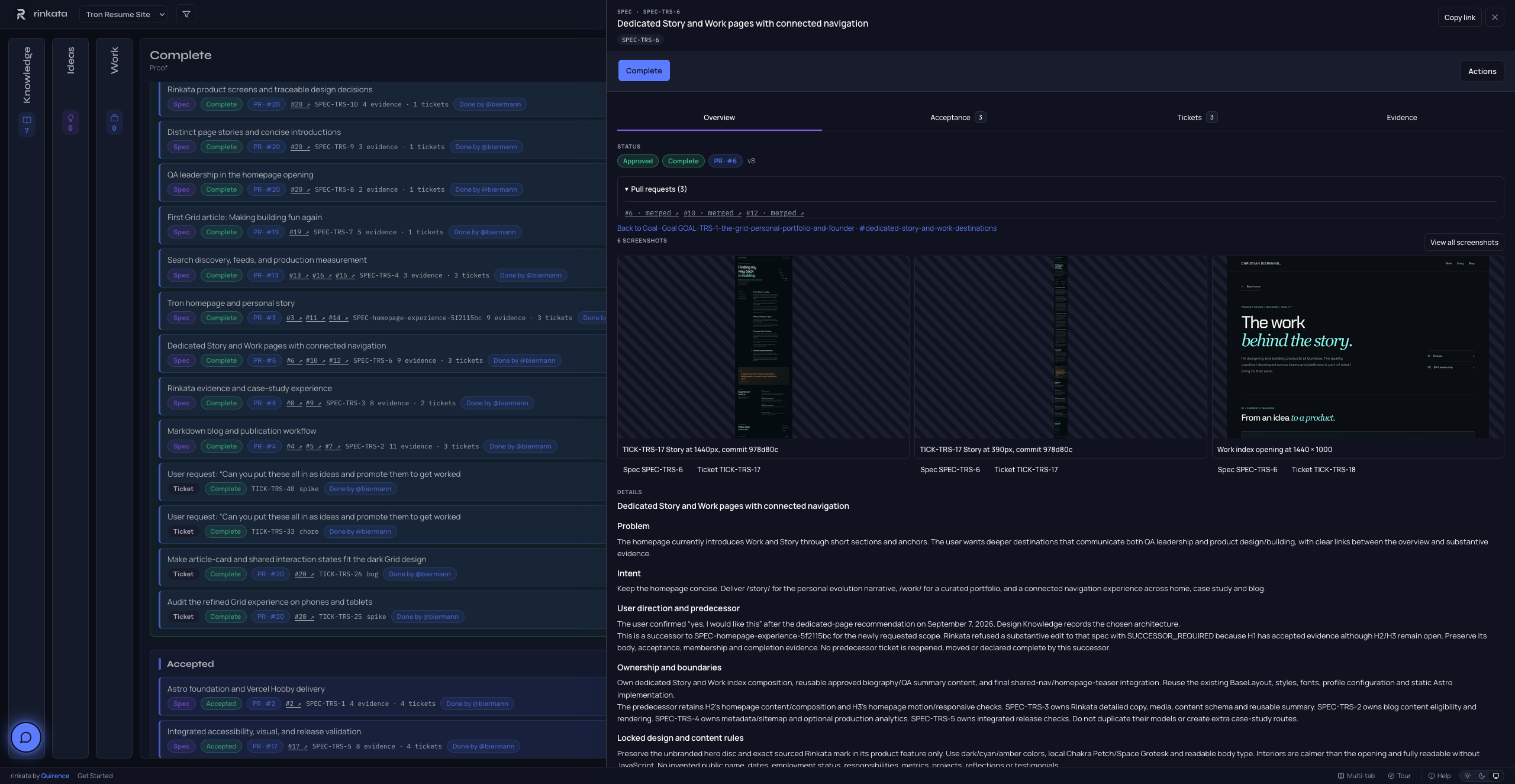
Something I could review
Rinkata also held the design direction and my résumé. When the agent needed career context for the Story page, I pointed it back to information I’d already supplied. I reviewed the copy and clarified what was current.
When the work came back, the ticket linked to the code change, checks, and screenshots. I could read the page, inspect it at desktop and phone sizes, and decide whether it was ready. My copy review became part of the completion record.
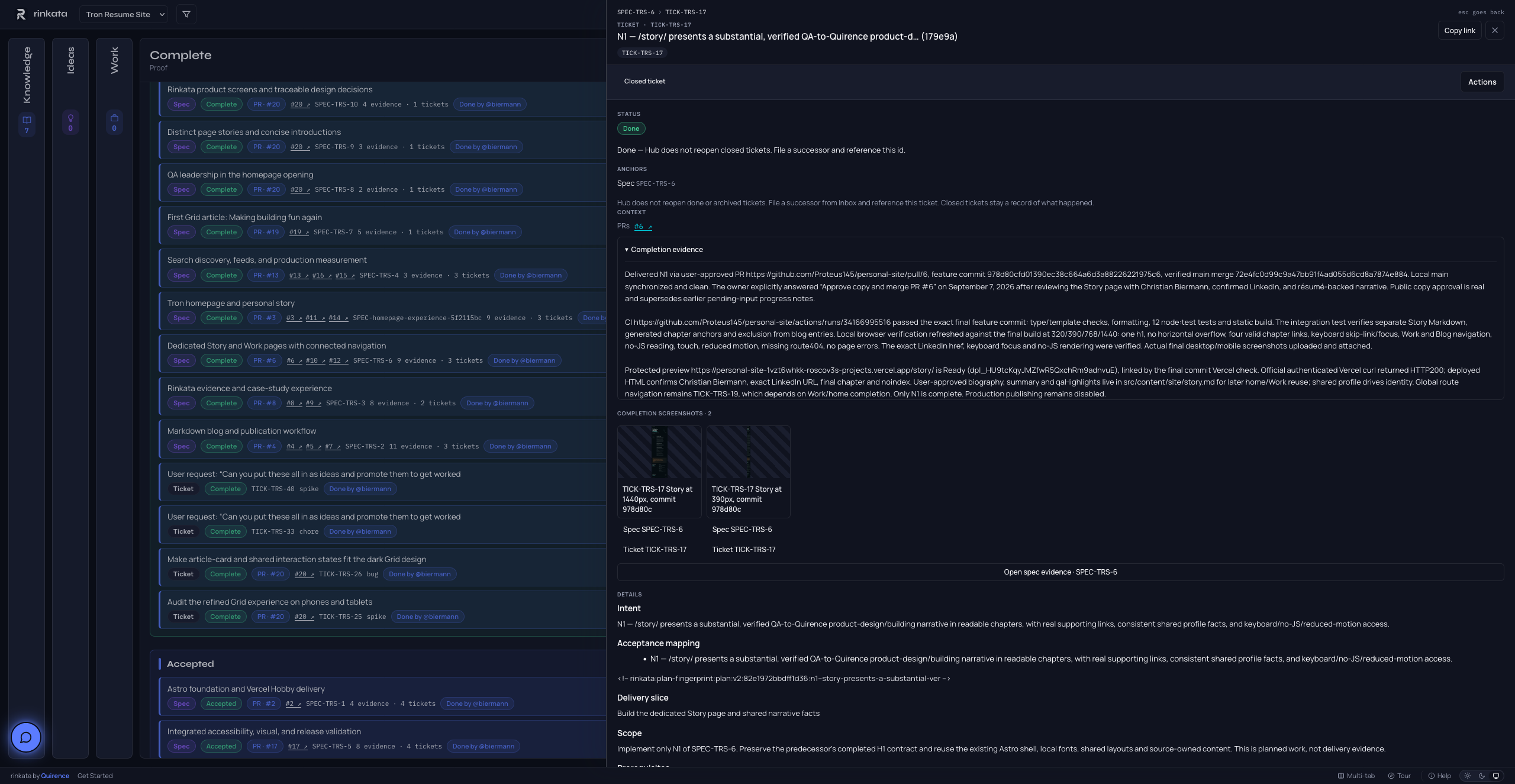
See the specification’s full evidence gallery
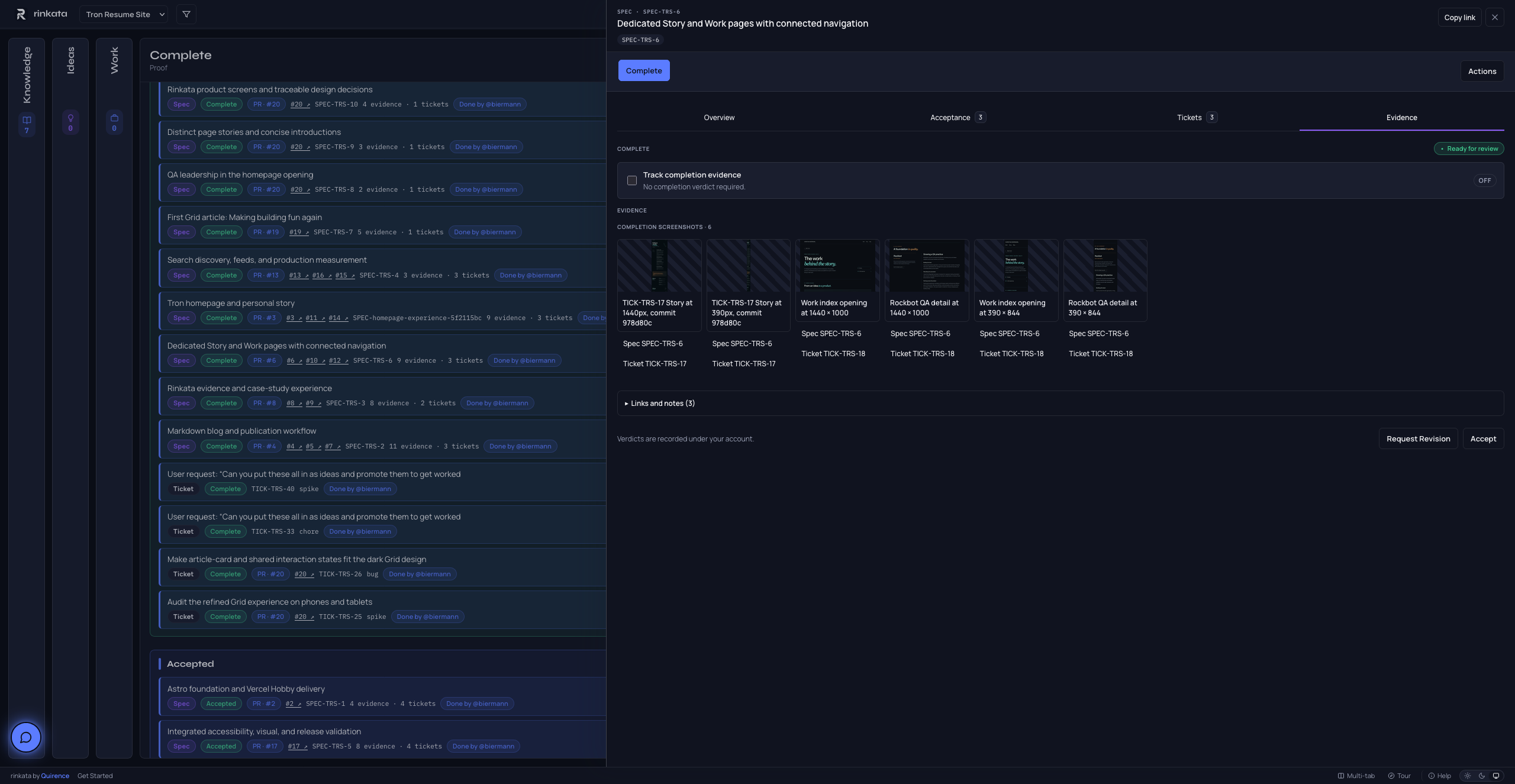
Room to change my mind
The site took shape as I saw it working. A homepage section became a full Story page. The work got room of its own. Each preview gave me something concrete to respond to.
Rinkata kept the earlier work and the revised direction connected. I could go back to why we’d made a change, see what the agent had built, and review the result. That’s what I wanted from it when we started building The Grid, and it’s what I want more people to experience as we keep building Rinkata.
If you’d like to try it, start with your first Rinkata project. The guide walks through adding project context, capturing an idea, and connecting your agent. Pick something small enough that you can review the result yourself.
You can explore The Grid’s Story and Work pages, or read the full account of the build on my personal blog.